 FDIC-Insured—Backed by the full faith and credit of the U.S. Government


Highpoint Community Bank customer?
Find the right transition page for your accounts.
Welcome to Independent Bank, Let's Get You Started!
Your transition to Independent Bank is complete, and we're excited to welcome you! You can now begin using your Independent Bank accounts, debit card, and ONE Wallet Digital Banking.
As you get started, there are a few important steps to take to make sure everything is working as expected. We've gathered helpful information, step-by-step instructions, and answers to common questions below to make your transition as smooth as possible.
How Can We Help You?
Looking for something specific? Select a topic below to jump directly to the information you need.


Your Next Steps
Now that your transition is complete, there are a few important steps to take to make sure your accounts and banking services are set up just the way you need them. Use the checklist below to get started, review your information, and make the most of your Independent Bank banking experience.
| What To Do | How To Get Started |
|---|---|
|
Log in to ONE Wallet Digital Banking |
Unless you have been notified separately, use your current username and password. You’ll be prompted to create a new password and accept Independent Bank’s Digital Banking Agreement. Get Started with ONE Wallet Digital Banking Your accounts are now available through Independent Bank's ONE Wallet Digital Banking! Whether you're using the mobile app or banking online, here's how to get started. How to Log In for the First Time
Once you've completed these steps, you can begin managing your accounts through ONE Wallet Digital Banking. Don’t see your business accounts? If you previously used one Highpoint Community Bank login to view both personal and business accounts and don’t see your business accounts when you first log in to ONE Wallet, your business accounts are safe and secure. You’ll need to enroll in ONE Wallet for Business to access them online. Call our Customer Connection Hub at 800.355.0641 or visit your local branch for help getting that set up. New to Digital Banking? If you didn't previously use Highpoint Community Bank's online banking, you can enroll in ONE Wallet Digital Banking here: |
|
Begin Using Your New Debit Card |
Your new Independent Bank Debit Mastercard® is ready to use once activated! If you haven't activated your card yet, you can do so using either of the options below. How to Activate Your Debit Card Option 1: By Phone Option 2: Through ONE Wallet Digital Banking Haven't Received Your Card? If you haven't received your new Independent Bank Debit Mastercard®, or if your card has been lost, stolen, or destroyed, please contact our Customer Connection Hub at 800.355.0641 or visit your local branch for assistance. Using a Mobile Wallet? Once your new debit card is activated, you can add it to your preferred mobile wallet for convenient payments. |
|
Checks |
Unless you have been notified separately that your account number has changed, you may continue using your Highpoint Community Bank checks until they run out. |
|
Automatic ACH Payments |
Unless notified separately that your account number has changed, automatic payments authorized using your account and routing numbers continue as usual. Debit card and loan payments are addressed separately. |
|
Automatic Transfers |
Your existing scheduled transfers between your former Highpoint Community Bank deposit accounts continue as scheduled, including overdraft protection transfers. No action is needed. |
|
Bill Pay |
Your existing Bill Pay payees and scheduled payments transferred to ONE Wallet Digital Banking. Log in and review your Bill Pay information to confirm everything is correct. |
|
Enroll in eStatements |
Your Highpoint Community Bank eStatement enrollment did not transfer to Independent Bank. To continue receiving electronic statements, you'll need to re-enroll through ONE Wallet Digital Banking.
Need assistance? Call our Customer Connection Hub at 800.355.0641 or visit your local branch. |
|
Review Your Accounts |
Log in to ONE Wallet Digital Banking and review your account balances, recent transactions, account nicknames, and automatic transfers to make sure everything appears as expected. |
|
Set Up Your Account Alerts |
Your Highpoint Community Bank account alerts did not transfer to ONE Wallet Digital Banking. You can easily set up new alerts to stay informed about your account activity and manage your money with confidence. How to Set Up Account Alerts
You can set up alerts for deposits, withdrawals, account balances, and transactions, with notifications delivered by email or text message. |
|
Update Recurring Debit Card Payments |
Your recurring debit card payments did not transfer to your new Independent Bank Debit Mastercard®. Contact any businesses or services that automatically charge your debit card and provide your new card information to avoid interruptions to your payments. |
|
Review Your Statements and Account History |
Your transaction history and statements are being transferred to ONE Wallet Digital Banking. While some historical documents are already available, additional records will continue to become available over the coming weeks. Currently, you can access:
Additional historical statements and check images are still being transferred and will become available as the process is completed. If you need a statement or check image that isn't yet available in ONE Wallet Digital Banking, please contact our Customer Connection Hub at 800.355.0641 or visit your local branch for assistance. |
|
Verify External Transfers |
External transfers previously set up through Highpoint Community Bank Digital Banking did not transfer to ONE Wallet Digital Banking. Log in to ONE Wallet to set up your external accounts and transfers again. |
|
Monitor Your Available Balance |
Independent Bank processes most account activity in real time. Keep an eye on your available balance through ONE Wallet Digital Banking to make sure sufficient funds are available before making purchases or payments. |
Your Independent Bank Account
Your former Highpoint Community Bank account is now part of Independent Bank. Depending on your previous account type, your account name and certain features may have changed.
Use the table below to see how your former Highpoint account corresponds to your Independent Bank account. For details specific to your account, refer to the account change letter previously mailed to you.
| HIGHPOINT COMMUNITY BANK ACCOUNT | INDEPENDENT BANK ACCOUNT |
|---|---|
|
AA Cash Management AA Cash Management Plus AA Interest Checking AAM Cash Management AAM Cash Management Plus AAM High Yield Municipality AAM Interest Checking AAM Regular Checking Business Elite Pinnacle Checking Impact Elite Checking |
|
|
AA Regular Checking Business Essential Impact Checking |
|
|
Business Cash Management Business Cash Management Plus Impact Savings |
|
| Business Edge |
|
| Business Statement Savings |
|
| Business High Yield Savings |
No change to your current rate or terms. Your Business High Yield Savings Account has transitioned to Independent Bank. This account remains available to existing account holders but is no longer offered for new account openings. |
| Certificates of Deposit (CDs) and IRAs | No change to your current rate or terms. |
| IOLTA | No change to your current rate or terms. |
See more details in our business disclosure booklet.
Your Account Now Uses Real-Time Processing
Independent Bank processes most account activity in real time, which means transactions generally appear in your account as they're received. The previous end-of-day grace period is no longer available. If sufficient funds aren't available when a transaction posts, your account may become overdrawn and applicable fees may be assessed.
Know Your Available Balance
Before making a purchase or payment, check your available balance through ONE Wallet Digital Banking. Keep in mind that pending transactions may already be reflected in your available balance. You can monitor your balance and account activity and set up alerts for your accounts in ONE Wallet Digital Banking.
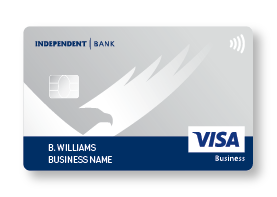
Independent Bank Credit Cards
Your new Independent Bank-branded credit card from Elan has the same card number, but a new expiration date and security code. Activate your card if you haven't already, and update any saved card information as needed.
Your existing credit card terms, conditions, and interest rate remain unchanged.
FAQs You May Have After The Transition
I can't log in to ONE Wallet. What should I do?
If you're having trouble logging in to ONE Wallet Digital Banking, make sure you're using your existing Highpoint Community Bank username and password, unless you've been notified otherwise.
When you log in for the first time, you'll be prompted to create a new password and accept Independent Bank's Digital Banking Agreement.
If you've already completed your first login, use your new password going forward.
Still having trouble? Contact our Customer Connection Hub at 800.355.0641 or visit your local branch for assistance.
I haven't received my Independent Bank debit card. Who should I contact?
If you haven't received your new Independent Bank Debit Mastercard®, please contact our Customer Connection Hub at 800.355.0641 or visit your local branch for assistance.
If you've received your card but haven't activated it, call 800.992.3808 to activate your card and set your PIN. You can also activate your personal debit card through My Cards in the ONE Wallet Digital Banking app.
Why can't I see all my previous statements or check images?
Your historical statements and check images are still being transferred to ONE Wallet Digital Banking. While some records are already available, additional documents will become accessible as the process continues.
Currently, historical records are available through the following dates:
- Check Images: June 30, 2026
- Loan Statements: September 30, 2026
- Deposit Statements: June 30, 2026
We're continuing to work on making additional historical records available. If you need a statement or check image that isn't currently accessible, please contact our Customer Connection Hub at 800.355.0641 or visit your local branch.
Why aren't my account alerts or external transfers showing?
Your account alerts and external transfers from Highpoint Community Bank Digital Banking did not transfer to ONE Wallet Digital Banking. You'll need to set them up again.
To set up account alerts:
- Log in to ONE Wallet Digital Banking.
- Select Alerts from the main menu.
- Choose the type of alert you'd like to receive and follow the prompts to customize your preferences.
You can receive notifications for deposits, withdrawals, balances, and transactions by email or text message.
To reestablish external transfers:
Log in to ONE Wallet Digital Banking and set up your external accounts and transfers again.
If you previously used external transfers through Highpoint Community Bank online banking to make loan payments, please contact our Customer Connection Hub at 800.355.0641 or visit your local branch for assistance with reestablishing those payments.
What if I previously used one login for both personal and business accounts?
If you previously accessed both your personal and business accounts using a single Highpoint Community Bank login, your accounts are now accessed separately through ONE Wallet Digital Banking.
Your existing login continues to provide access to your personal accounts. To access your business accounts, you'll need a separate ONE Wallet for Business login.
- If you received separate business login instructions: Follow those instructions to access your business accounts using your new business credentials.
- If you did not receive separate business login instructions: You'll need to enroll in ONE Wallet for Business to access your business accounts.
Need assistance? Contact our Customer Connection Hub at 800.355.0641 or visit your local branch.
Help Is Always Close By
We know this transition can bring questions, and we’re here to make answers easy to find.


800.355.0641
For TTY, please dial 711.
Available Monday-Friday 8 am-8 pm & Saturday 8 am-5 pm (ET) excluding federal holidays.

We’re available to meet with you virtually, over the phone, or in person.


